

 I am bored!
About Geo Dash Lite
Gameplay: Players guide a square icon through auto-scrolling levels filled with spikes and obstacles, synced to energetic music.
Features: 26 official levels (in the full version), Level editor for user-generated content, Practice mode with checkpoints, Spin-off versions and a free “Lite” edition
Alias: RobTop (also nicknamed “RubRub” by fans)
Studio: RobTop Games AB, a solo indie studio based in Sweden
Release Year: 2013 (initially on mobile, later on PC and Mac)
What’s Geometry Dash Lite?
Geometry Dash Lite is a free, simplified version of the popular rhythm‑based platformer Geometry Dash. In this game, you control a little square that automatically moves forward, and your job is to tap the screen to make it jump over spikes, gaps, and tricky obstacles.
The levels are colorful, fast, and synced to energetic music, so every jump feels like part of the beat. Even though it’s called “Lite,” the game still offers plenty of challenge, one mistake means restarting instantly, which makes it addictive and fun to keep trying until you finally beat the level. Can you complete a level without missing a single beat?
Fun fact about Geo Dash Lite
The game was originally going to be called Geometry Jump, but Apple rejected the name. Robert then changed it to Geometry Dash, which stuck and became the brand recognized today.
Who made Geometry Dash Game?
Geometry Dash was created by Swedish developer Robert Topala, who founded the studio RobTop Games in 2012.
What’s Difference between Geometry Dash Lite vs Other Geometry Dash versions
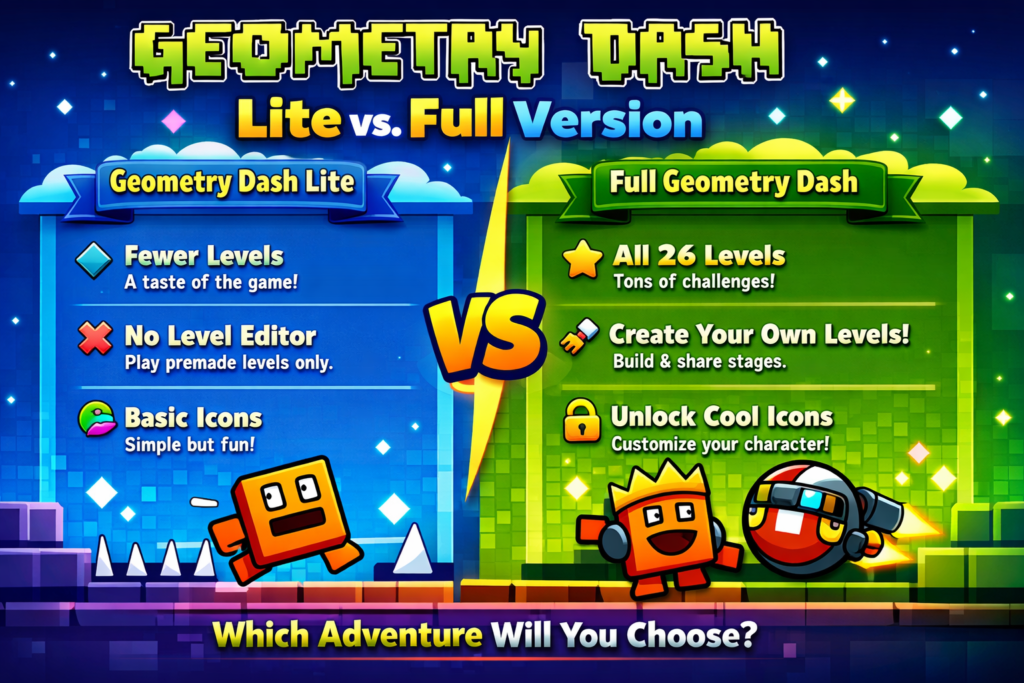
Geometry Dash Lite is the free version of the game, while the other Geometry Dash editions (like the full Geometry Dash, Meltdown, SubZero, and World) offer more content and features. The Lite version gives you a taste of the gameplay with a limited set of levels, no level editor, and fewer customization options.
Stay Calm: Don’t panic when spikes appear; focus on timing.
Retry Magic: Every fall teaches you something new—keep going!
Hold for Long Jumps: Some gaps need longer presses—experiment!
Watch Patterns: Obstacles often repeat—spot the rhythm and predict the next move.


 I am bored!